What is an ICCID number? How to find yours
Key takeaways
- An ICCID number is the unique serial number of a SIM card. The number is usually 19 or 20 digits long, starting with 8944 on most UK SIMs.
- An ICCID number is also called a SIM number or SIM serial number. It's printed on the SIM card and its packaging, and on an iPhone it's listed under Settings, General, About.
- An ICCID number identifies the SIM only, not the phone (that's the IMEI) or the phone number. You usually need it to activate a SIM. Share it only with the SIM's provider.
You've got a new SIM in your hand, the activation page is open, and it's asking for your ICCID number. Not a phrase most of us use over dinner.
It's far less complicated than it sounds. This guide covers what it is, where to find it and who you can safely share it with.
What is an ICCID number?
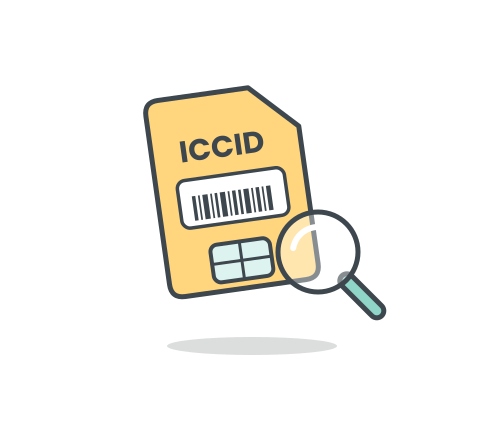
An ICCID is the unique identifier for a SIM card. ICCID stands for Integrated Circuit Card Identifier, which is a mouthful for what's essentially a serial number, a bit like the one on the back of a kettle.
Your mobile network uses it to recognise your SIM and link it to your account. No two SIM cards share the same ICCID.
You might also see it called a SIM number or a SIM serial number. Different labels, same thing. An eSIM has an ICCID too, even though there's no physical card to look at.
What the digits mean
An ICCID number is usually 19 or 20 digits long. It tells a network which country a SIM comes from, who issued it and which SIM it is. It says nothing personal about you. You don't need to memorise it, but here's how it breaks down:
| Digits | What they show |
|---|---|
| The first two digits (89) | The card is used for telecoms. Every SIM starts with 89. |
| The next one to three digits | The country the SIM was issued in. The UK's code is 44, so UK SIMs usually start with 8944. |
| The next few digits | The company that issued the SIM. |
| The middle and remaining digits | The number that's unique to that one SIM. |
| The last digit | A check digit, which helps catch typing mistakes. |
How to find your ICCID number
Start with the easiest option and work down.
- On the SIM card. The ICCID number is usually printed on the SIM card itself or on the credit-card-sized plastic it came in, often in very small print.
- On the packaging or in your order email. Some providers print it on the packaging or include it in the order confirmation email.
- On an iPhone. Open Settings, tap General, tap About, then scroll down until you see ICCID.
- On an Android phone. Open Settings, tap About phone, then look under Status or SIM status. Menu names vary by brand, so try the search bar in Settings if you can't spot it.
- For an eSIM. There's no card to check, so look in your phone's settings or in the details your provider sent when you set up the eSIM.
Phone settings are the handy route if the SIM is already in and the packaging has long since gone in the recycling.
Why you might be asked for it
Most people only meet their ICCID number a handful of times. Here's when it tends to come up:
- Activating a new SIM, so the network can link the SIM to your number and account. If you are with SMARTY, you can activate your SIM here.
- Switching to a new network, when a provider needs to identify the SIM you're moving.
- Contacting customer support, where an adviser may ask for it to find the right SIM.
- Replacing a lost or faulty SIM, so the provider knows which SIM you’re replacing.
Providers differ in what they ask for, so don't worry if yours never mentions it.
How an ICCID differs from your phone number and IMEI
Phones and SIMs come with several long numbers, and it's easy to mix them up. Here's what each one is for:
| Number | What it identifies | Where to find it |
|---|---|---|
| Phone number | You, for calls and texts | Your phone's settings or your provider account |
| ICCID | The SIM card | The SIM card, its packaging or your phone's settings |
| IMEI | The phone itself (15 digits) | Dial *#06# or check your phone's settings |
| EID | The eSIM chip inside the phone | Your phone's settings |
The easy way to remember it: if you move a physical SIM into a different phone, the ICCID goes with the SIM and the IMEI stays with the phone.
FAQs
1. How many digits is an ICCID number?
An ICCID number is usually 19 or 20 digits long. On UK SIM cards, it normally starts with 8944.
2. Is an ICCID the same as a SIM serial number or an IMEI?
An ICCID and a SIM serial number are the same thing: the unique identifier for a SIM card. An IMEI is different because it identifies the phone, not the SIM.
3. Where do I find my ICCID number on an iPhone?
On an iPhone, the ICCID number is in Settings > General > About. Scroll down the About screen until ICCID appears.

- SMARTY Team
- SMARTY
- October 13th, 2026